Hand the repeat work to agents,
 Chasing and following up
Overdue invoices, unanswered requests, and reminders that someone has to remember to send.
Agents and workflow automation
We build agents that chase invoices, triage tickets, write reports, and move data between systems, with a person approving anything that sends, pays, or deletes.
The problem
Overdue invoices, unanswered requests, and reminders that someone has to remember to send.
Tickets, forms, and mail read by a person only to be routed to someone else.
The same numbers pulled from the same systems every week, by hand.
Our approach
Agents scoped to one job, with the tools and data that job needs and nothing else.
A person confirms each send, payment, or delete before it happens.
A log of every action an agent took, for review and audit.
Connections to your accounting, CRM, support desk, and mail, so agents work where the work is.
Built into WhileSmart Business
WhileSmart Business carries an agent in its dashboard, next to invoicing, collections, payouts, and payroll, so owners can ask instead of digging through reports.
See Business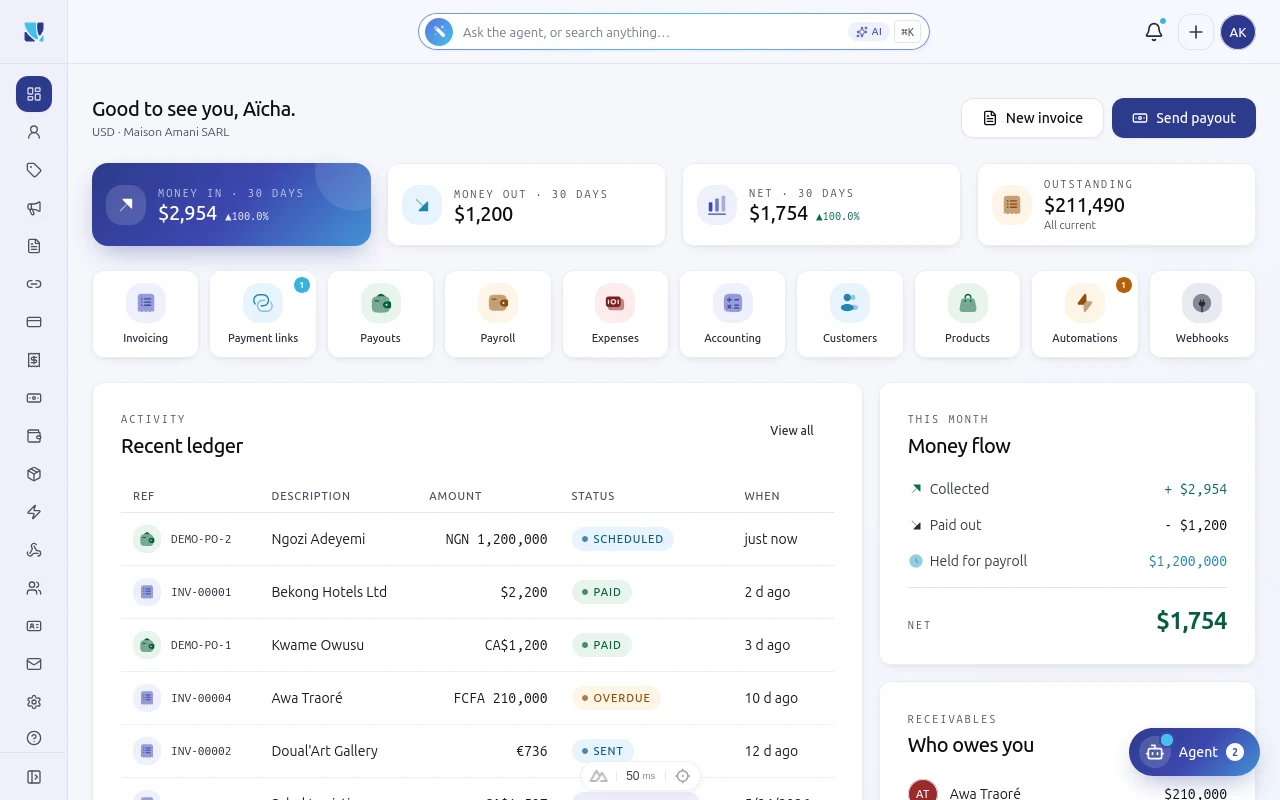
How it works
We choose a repetitive, well-understood task with a clear measure of success.
The agent drafts, a person approves, and we compare results with the manual process.
Approval rules relax only where the record shows the agent can be trusted.
Privacy and control
Questions
Agents only get the tools a task needs, and anything that sends, pays, or deletes waits for a person.
Anything with an API or a database we can reach safely: accounting, CRM, support desks, mail, and internal tools.
Each workflow starts with a measure, such as hours saved or response time, and the activity record shows every action.
Start a conversation
An engineer replies within 24 hours with how we would approach it.